← All products→ كل البرامج

MATI ESTATE

Property maintenance managementإدارة الصيانة العقارية

MATI ESTATE runs the whole maintenance cycle, from the moment a tenant reports a problem until the job is closed, rated and invoiced. Every party has a portal of their own — tenant, supervisor and technician — and the whole thing runs in the browser on a phone, with no app store and nothing to install. Requests stop living in WhatsApp groups and phone calls, and start living in one place where everybody can see exactly where they stand.

يدير MATI ESTATE دورة الصيانة كاملة، من لحظة إبلاغ المستأجر عن المشكلة حتى إغلاق الطلب وتقييمه وفوترته. لكل طرف واجهته الخاصة — المستأجر والمشرف والفني — وكل ذلك يعمل من المتصفح على الهاتف، بلا متجر تطبيقات وبلا أي تثبيت. تتوقّف الطلبات عن العيش في مجموعات واتساب والمكالمات، وتنتقل إلى مكان واحد يرى فيه الجميع أين وصل الطلب بالضبط.

The tenant reports a problem in under a minute

المستأجر يبلّغ عن المشكلة في أقل من دقيقة

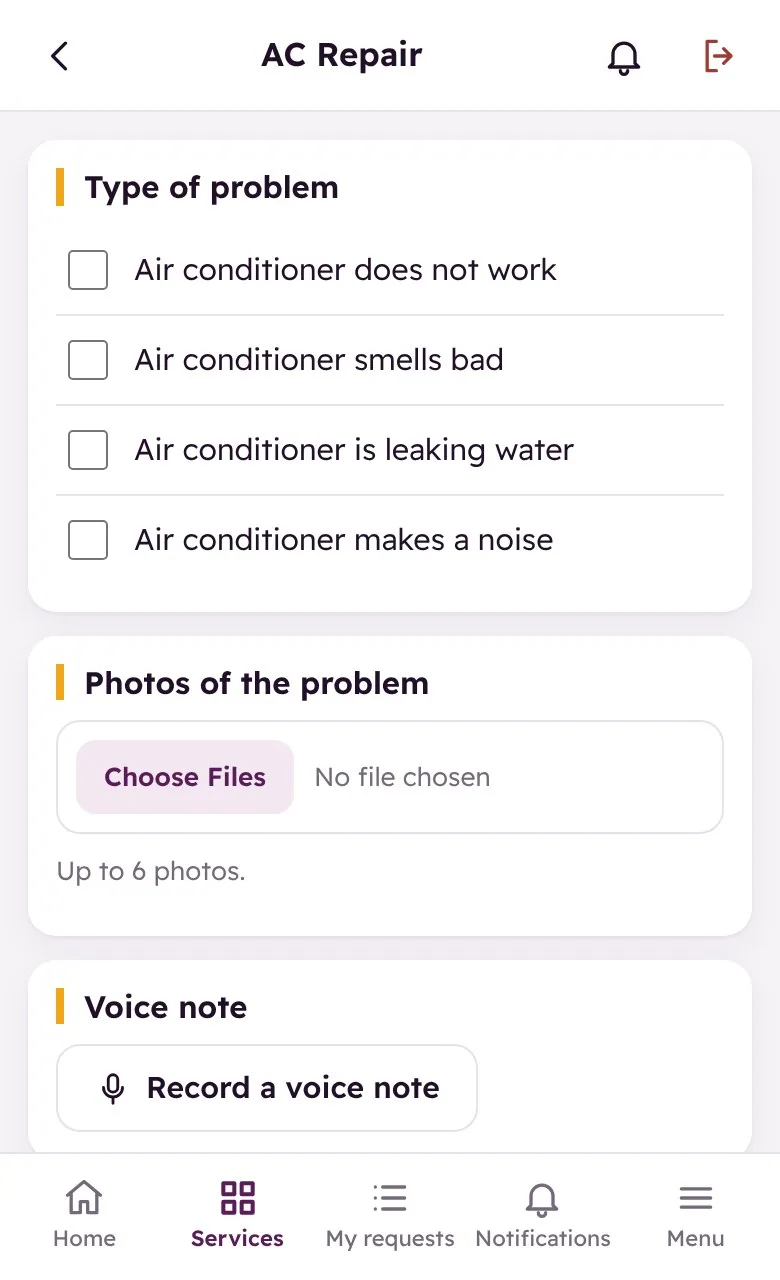
The tenant opens the link, taps “new service request”, picks the type of problem from a list, writes a short description, attaches photos and — if it is easier — records a voice note. No phone call, no explaining the same fault three times to three different people.

يفتح المستأجر الرابط، يضغط «طلب خدمة جديد»، يختار نوع المشكلة من قائمة، يكتب وصفاً قصيراً، يرفق صوراً، وإن كان أسهل يسجّل ملاحظة صوتية. بلا مكالمة، وبلا شرح نفس العطل ثلاث مرات لثلاثة أشخاص.

  • Problem types listed so nothing is described vaguelyأنواع المشاكل مدرجة حتى لا يبقى الوصف غامضاً
  • Up to six photos attached to the requestإرفاق حتى ست صور مع الطلب
  • A voice note for anything hard to writeملاحظة صوتية لكل ما يصعب كتابته
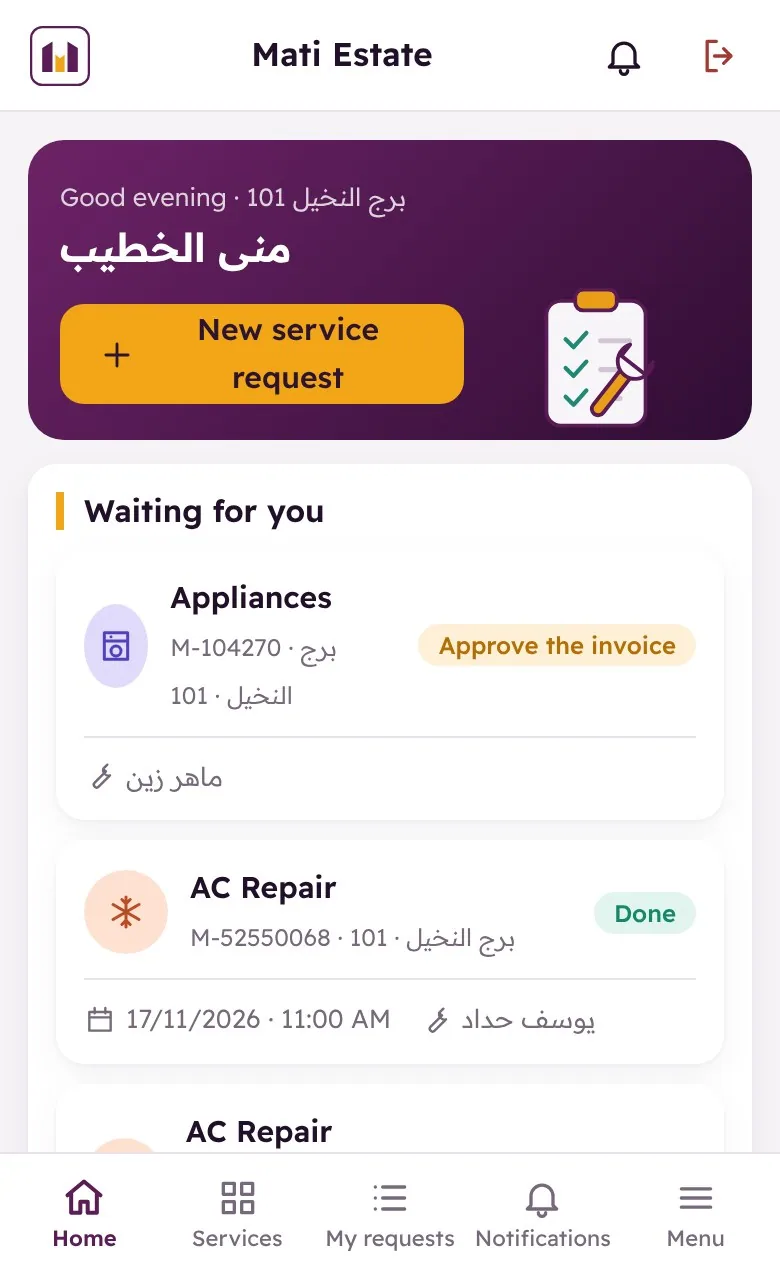
  • The tenant sees his open requests and their historyيرى المستأجر طلباته المفتوحة وسجلّها
The tenant picks the visit time — and watches it move

المستأجر يختار موعد الزيارة ويتابع تقدّمها

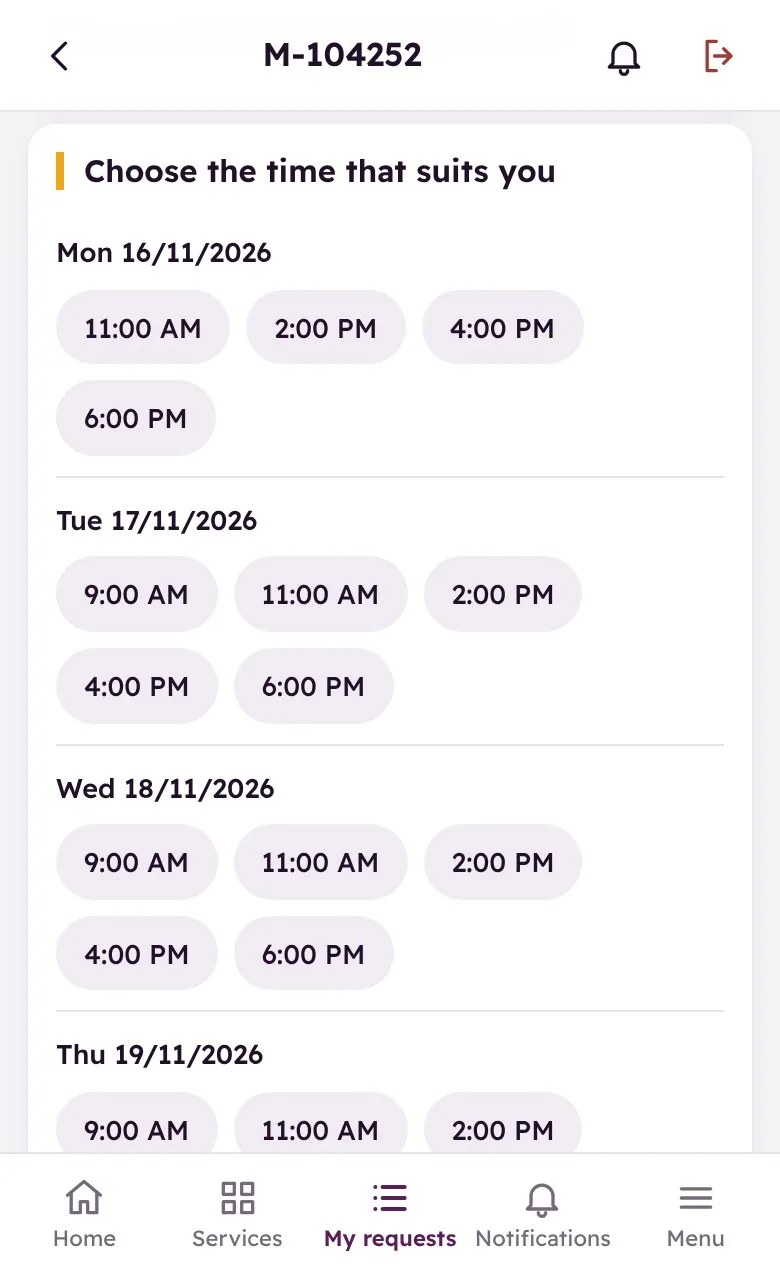
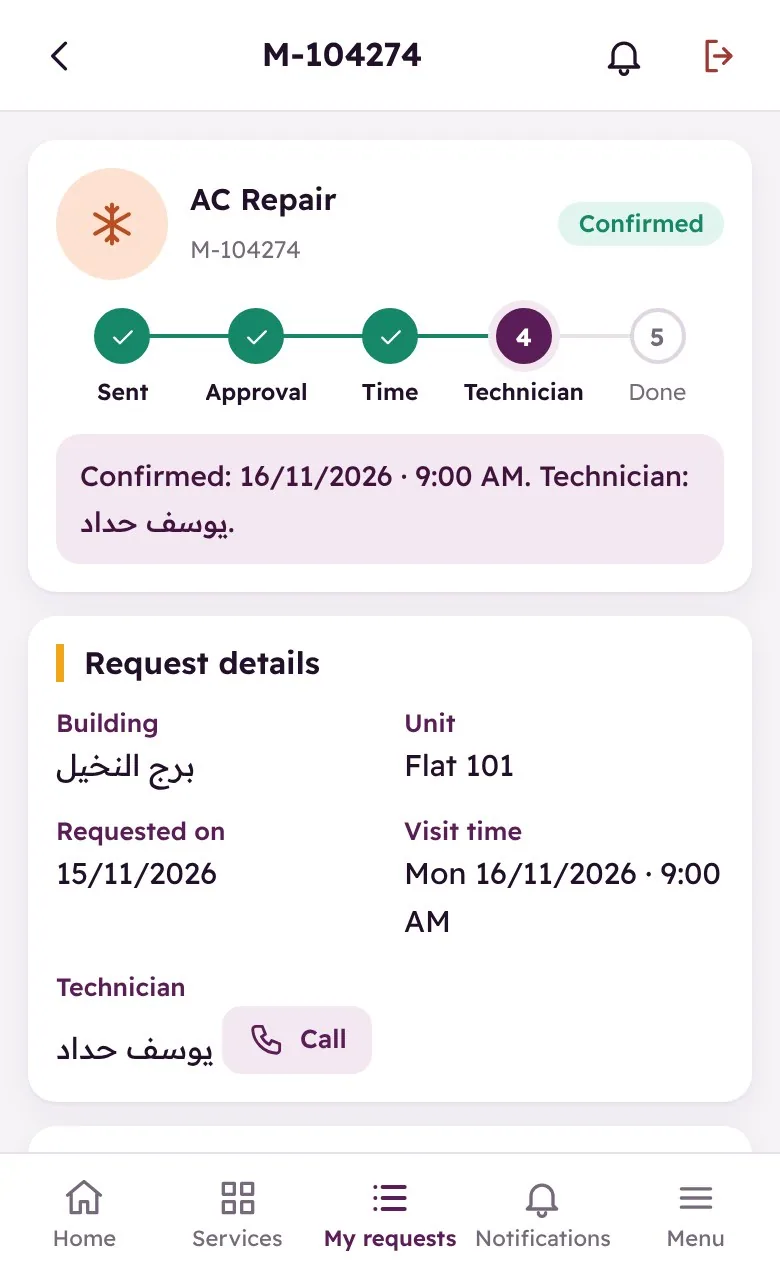
Once the supervisor approves, the tenant is offered the slots that are actually free and chooses one. From then on a progress bar shows the request moving through sent, approved, time chosen, technician assigned and done — so nobody has to call and ask where things stand.

بعد موافقة المشرف تُعرَض على المستأجر الأوقات المتاحة فعلاً فيختار منها. ومن تلك اللحظة يُظهر شريط التقدّم مسار الطلب: أُرسل، تمّت الموافقة، اختير الوقت، أُسند لفني، ثم أُنجز — فلا يحتاج أحد للاتصال ليسأل أين وصل الأمر.

  • Only genuinely free slots are offeredتُعرض الأوقات المتاحة فعلاً فقط
  • A progress bar from sent to doneشريط تقدّم من الإرسال حتى الإنجاز
  • A conversation thread between tenant, supervisor and technicianمحادثة بين المستأجر والمشرف والفني
  • Notifications at every change of statusإشعارات عند كل تغيّر في الحالة

The supervisor sees the whole workload

المشرف يرى حجم العمل كاملاً

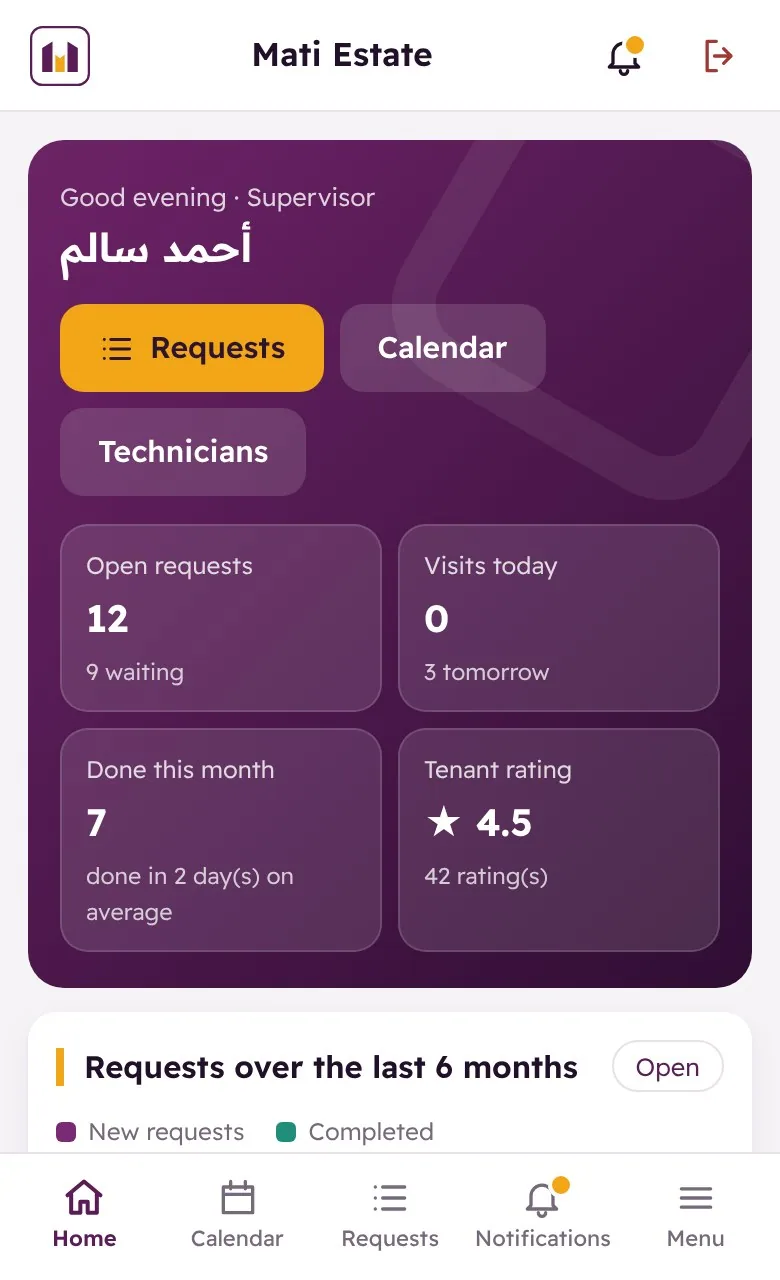
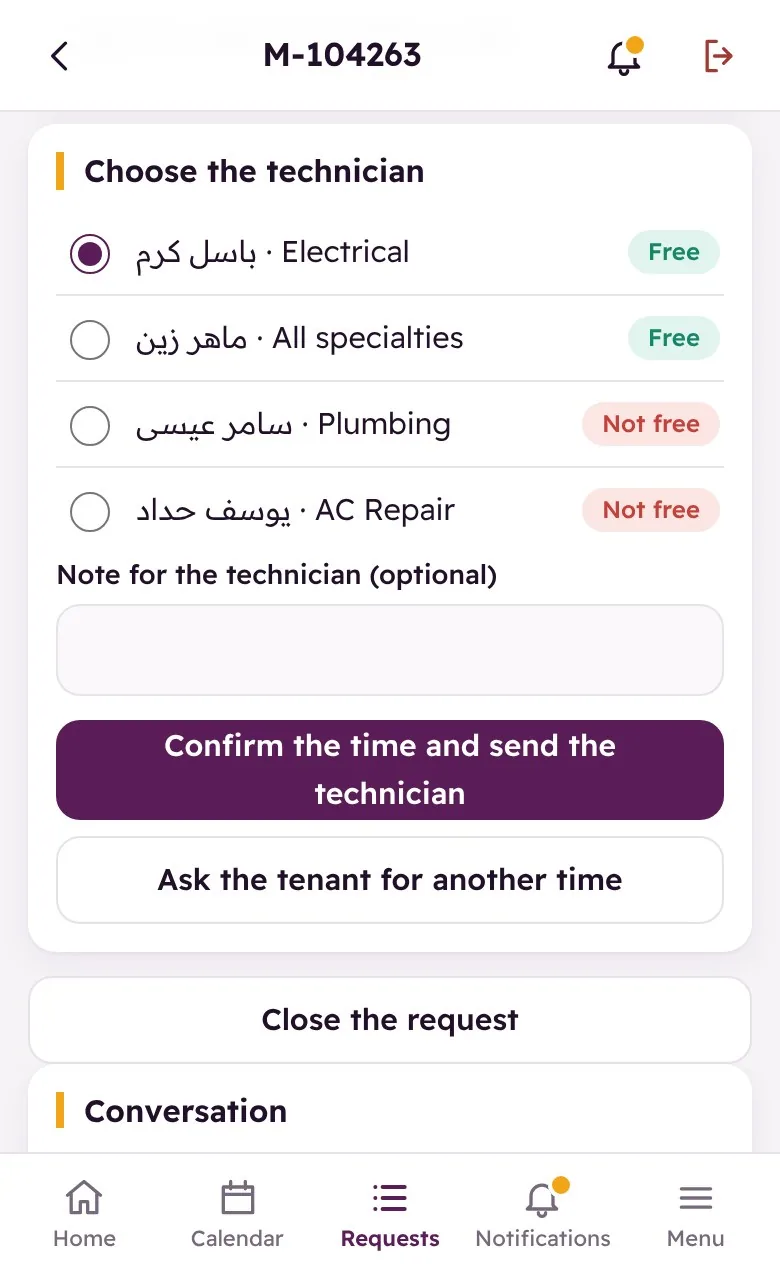
Open requests, today’s visits, what was finished this month, average days to close and the team’s rating — all on the opening screen. Assigning a job shows which technicians are free and which are not, with their speciality beside the name, so work goes to whoever can actually take it.

الطلبات المفتوحة، زيارات اليوم، ما أُنجز هذا الشهر، متوسط أيام الإغلاق، وتقييم الفريق — كلها على الشاشة الأولى. وعند إسناد المهمة تظهر قائمة الفنيين المتفرّغين وغير المتفرّغين مع تخصّص كل واحد بجانب اسمه، فيذهب العمل لمن يستطيع استلامه فعلاً.

  • Open requests, today’s visits and monthly throughputالطلبات المفتوحة وزيارات اليوم والإنجاز الشهري
  • Average days to close, tracked over timeمتوسط أيام الإغلاق متابَعاً عبر الزمن
  • Technician availability and speciality when assigningتفرّغ الفني وتخصّصه عند الإسناد
  • Approve or reject a request with a reason the tenant seesقبول الطلب أو رفضه بسبب يراه المستأجر

The technician works from his own calendar

الفني يعمل من تقويمه الخاص

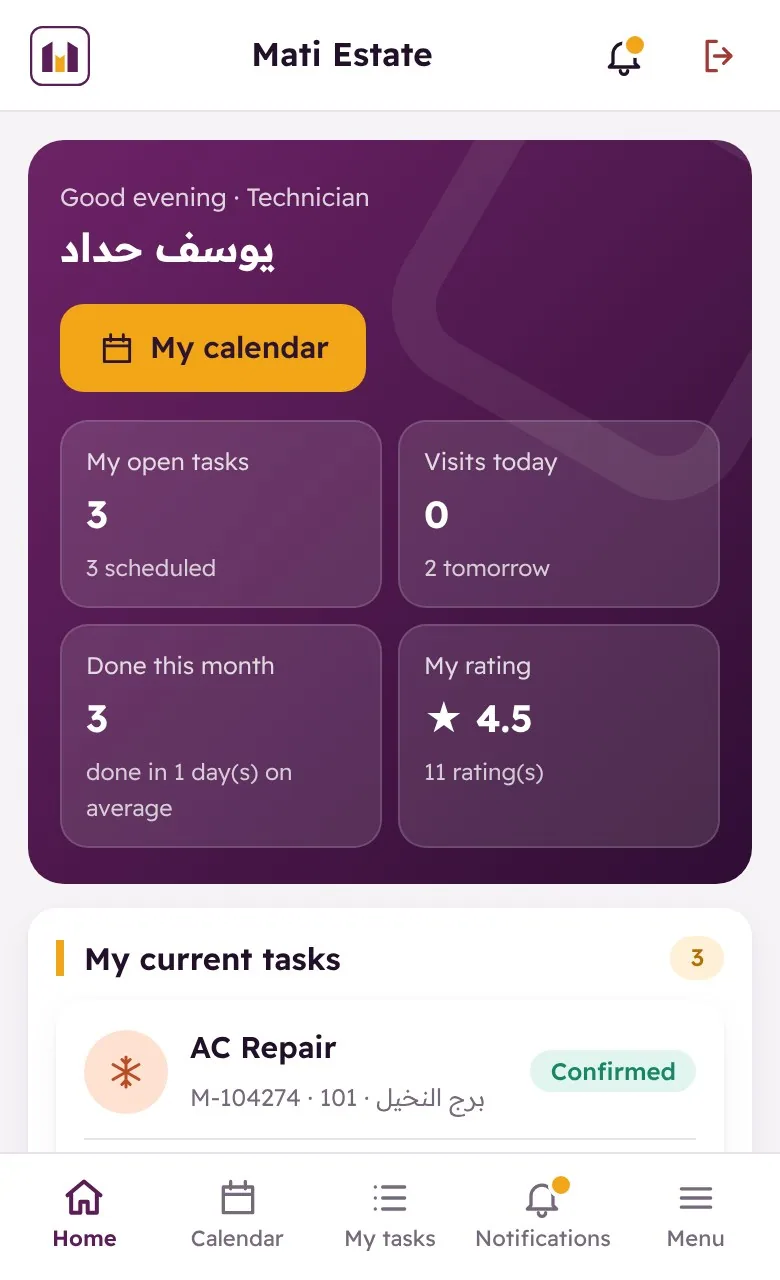
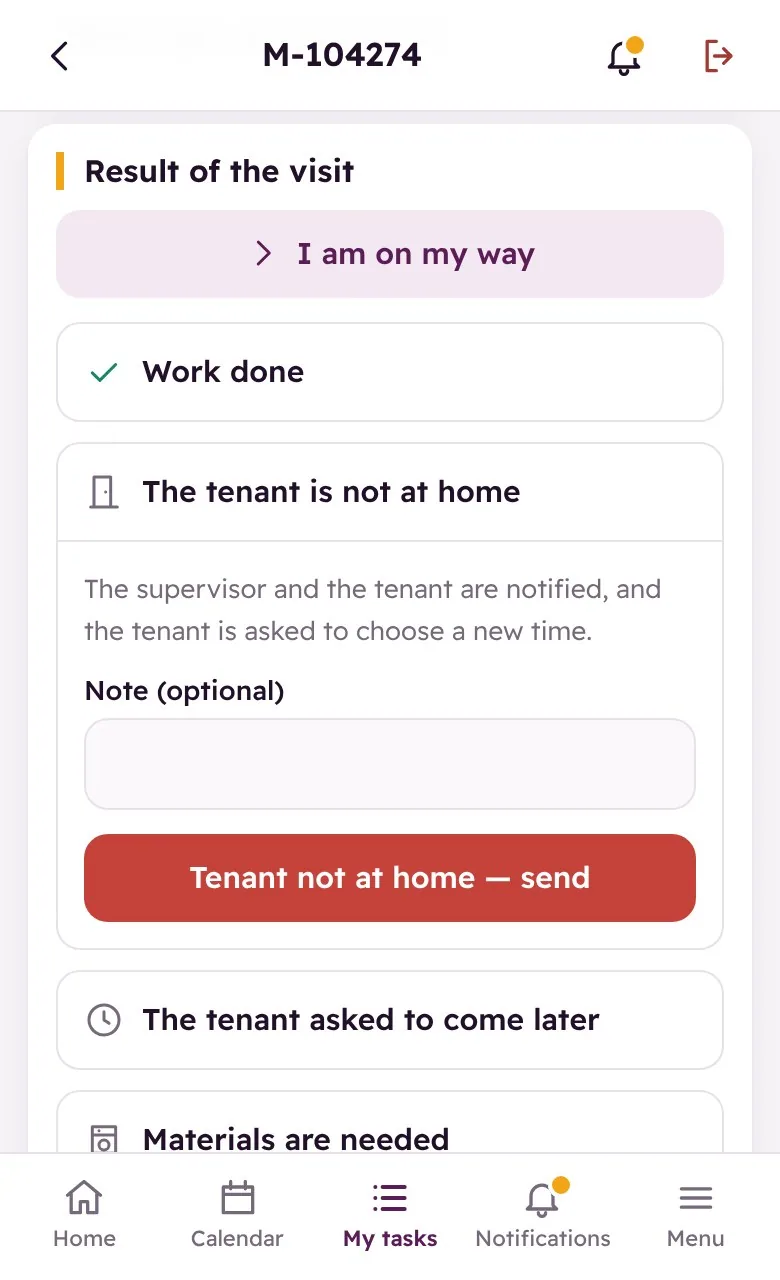
Each technician opens his own screen: today’s visits, his open tasks and his rating. On site he marks “on my way”, then records what happened — work done, tenant not at home, tenant asked to come later — attaches photos after the work and notes any amount collected.

يفتح كل فني شاشته الخاصة: زيارات اليوم، مهامه المفتوحة، وتقييمه. وفي الموقع يسجّل «أنا في الطريق»، ثم يدوّن ما حدث — تمّ العمل، المستأجر غير موجود، أو طلب التأجيل — ويرفق صوراً بعد العمل ويسجّل أي مبلغ تمّ تحصيله.

  • Today’s visits and open tasks per technicianزيارات اليوم والمهام المفتوحة لكل فني
  • “On my way”, work done, tenant not at home, come later«أنا في الطريق»، تمّ العمل، غير موجود، أو التأجيل
  • Photos after the work, attached to the requestصور بعد العمل مرفقة بالطلب
  • Amount collected from the tenant recorded on the spotتسجيل المبلغ المحصَّل من المستأجر فوراً

Materials, invoice, and a rating at the end

المواد والفاتورة ثم التقييم في النهاية

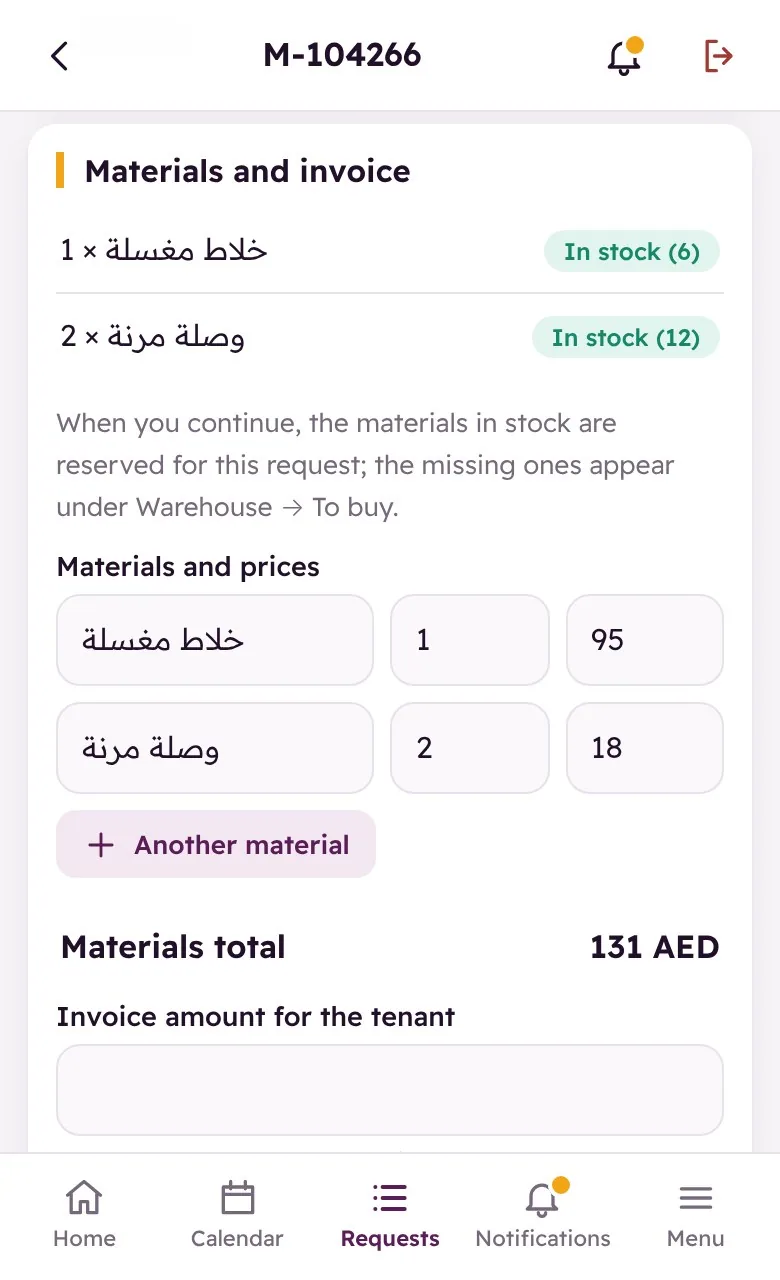
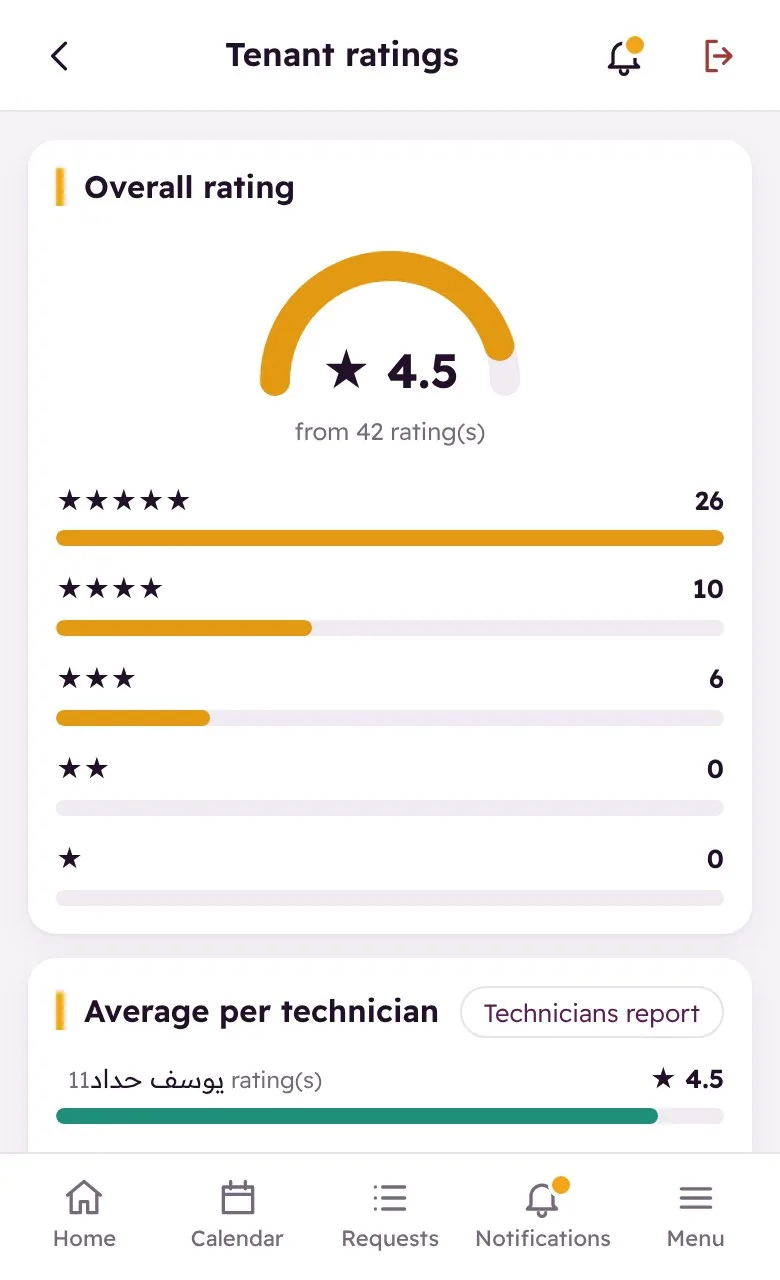
Materials are picked from stock with their prices, the invoice total is built automatically, and the tenant approves it before the job closes. When it is done he rates the service — and those ratings add up into an overall score and a per-technician breakdown you can actually manage by.

تُختار المواد من المخزون بأسعارها، ويُبنى إجمالي الفاتورة تلقائياً، ويوافق عليه المستأجر قبل إغلاق الطلب. وعند الانتهاء يقيّم الخدمة — وتتجمّع هذه التقييمات في تقييم عام وتفصيل لكل فني يمكنك الإدارة على أساسه.

  • Materials taken from stock with quantities and pricesمواد من المخزون بالكميات والأسعار
  • Invoice total built automatically and approved by the tenantإجمالي الفاتورة يُبنى تلقائياً ويوافق عليه المستأجر
  • Overall rating plus an average per technicianتقييم عام ومتوسّط لكل فني
  • A technicians report: visits, completed, and amounts collectedتقرير الفنيين: الزيارات والمنجز والمبالغ المحصّلة

Ready to show you the right system

جاهزون لعرض البرنامج المناسب لك

Get in touch to book a live demo or receive a detailed quotation for your company.

تواصل معنا لحجز عرض توضيحي مباشر أو للحصول على عرض سعر مفصّل لشركتك.